
Guest WiFi for restaurants, cafés and hotels
The WiFi page guests see first, with your name, menu and colours.
Hotspote turns the router you already own into a branded guest WiFi: one tap to connect, a customer list that grows on its own, and regulars who never fill a form twice.
Works with
 MikroTik
 UniFi
More coming soon
Product
What guests see when they connect, and what you get from it.
You set it up once from the dashboard. Guests get a page that loads fast on any phone, in Spanish or English.
Your colours, fonts and photos
Start from a restaurant, café, bar or hotel template, then set colours, type and photos. Preview it on a phone before you publish.
Menu, hours and offers on the portal
Add your menu, opening hours, a map, a coupon or this week’s event. Guests see it while they connect.
Regulars connect in one tap
A phone that already left its details is remembered. No form, no voucher, no asking the staff again.
A guest list you own
Name, email or phone, with marketing consent, collected as guests connect. Export it whenever you like.
Feedback after the visit
A short rating or NPS question once they’re online. Happy guests are pointed to your Google reviews.
Vouchers when you need them
Print codes for longer stays, premium speed or the guest whose phone wouldn’t connect. Optional, never required.
Why Hotspote
WiFi is the first thing a guest asks for. It should feel like the rest of your service.
Nothing to install
Guests join your WiFi and the page opens by itself. No app, no account, no password on a table card.
Works with the router you have
MikroTik and UniFi you already run. The setup wizard reads your network and tells you what to change.
Guests stay yours
Their details go to your list, with their consent. You decide what you send them, and when.
Daily guests and busy hours
Guests per day, busy hours, first visits against returning ones, and what people said about the visit.
Inside the dashboard
The dashboard. Written for venue owners, without network jargon.
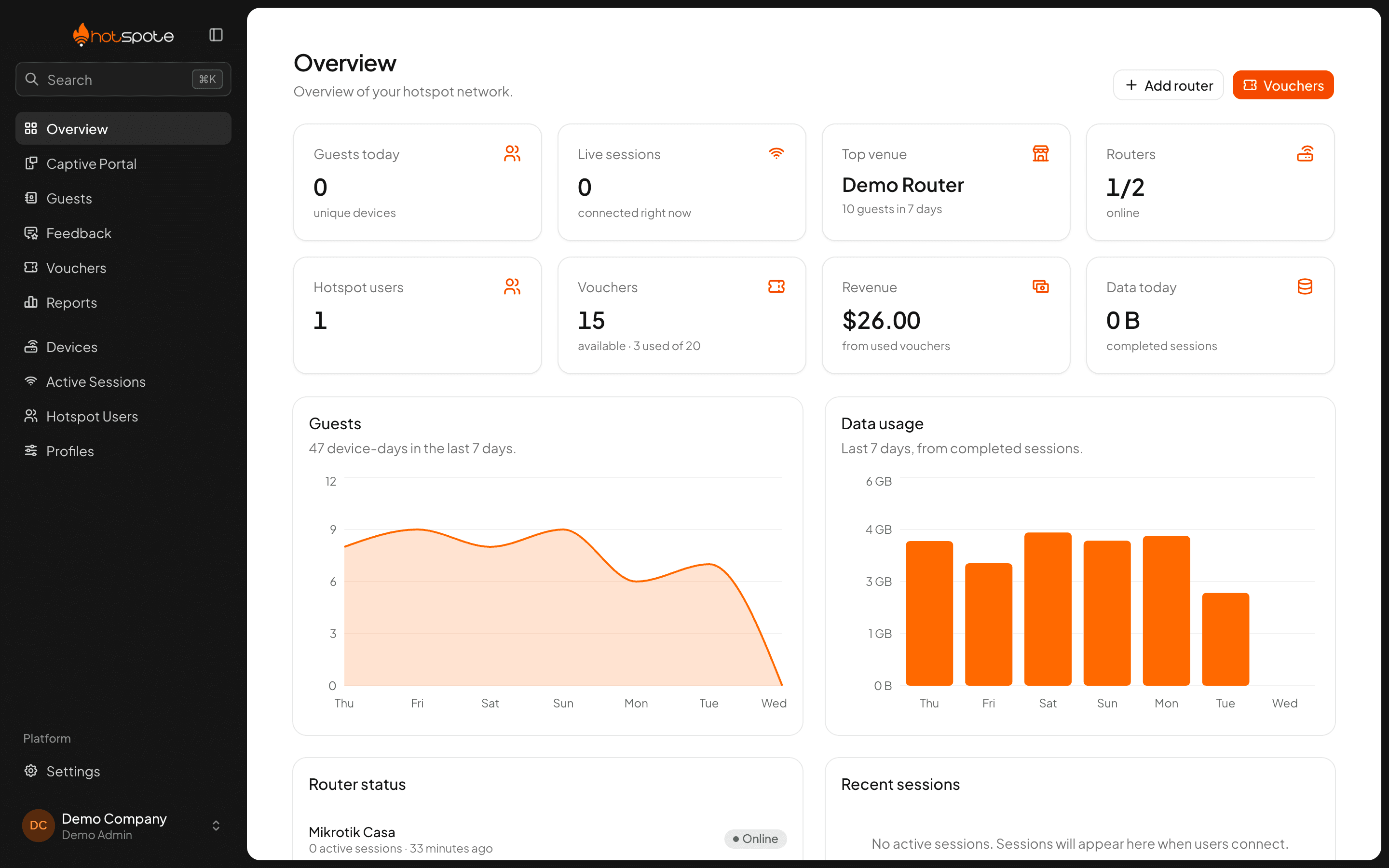
01 · Overview
Today’s guests, sessions and revenue
- Guests
- today
- Devices
- online
- Sessions
- live
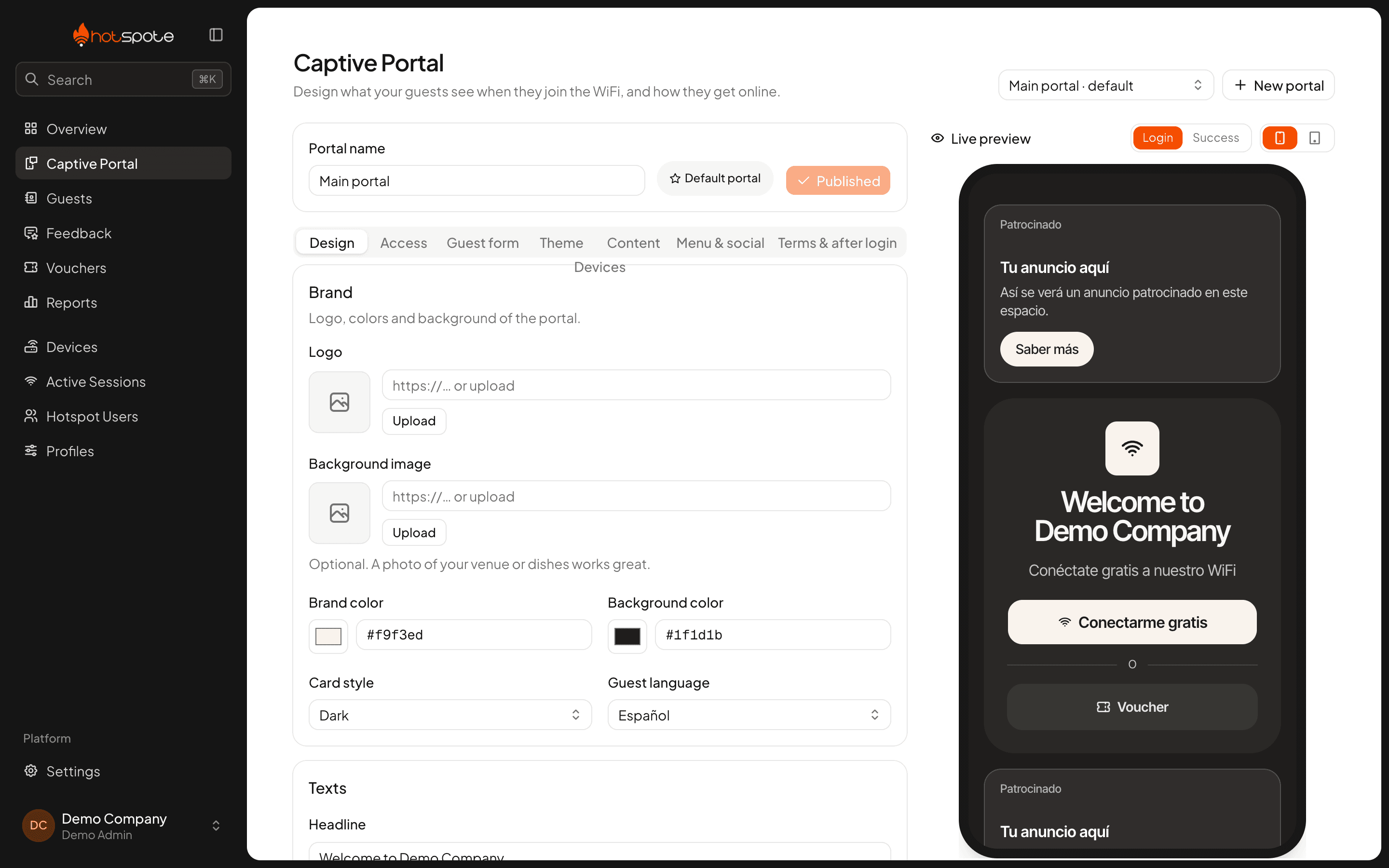
02 · Captive portal
Edit the portal with a live phone preview
- Live
- phone preview
- 14
- content blocks
- 2
- languages
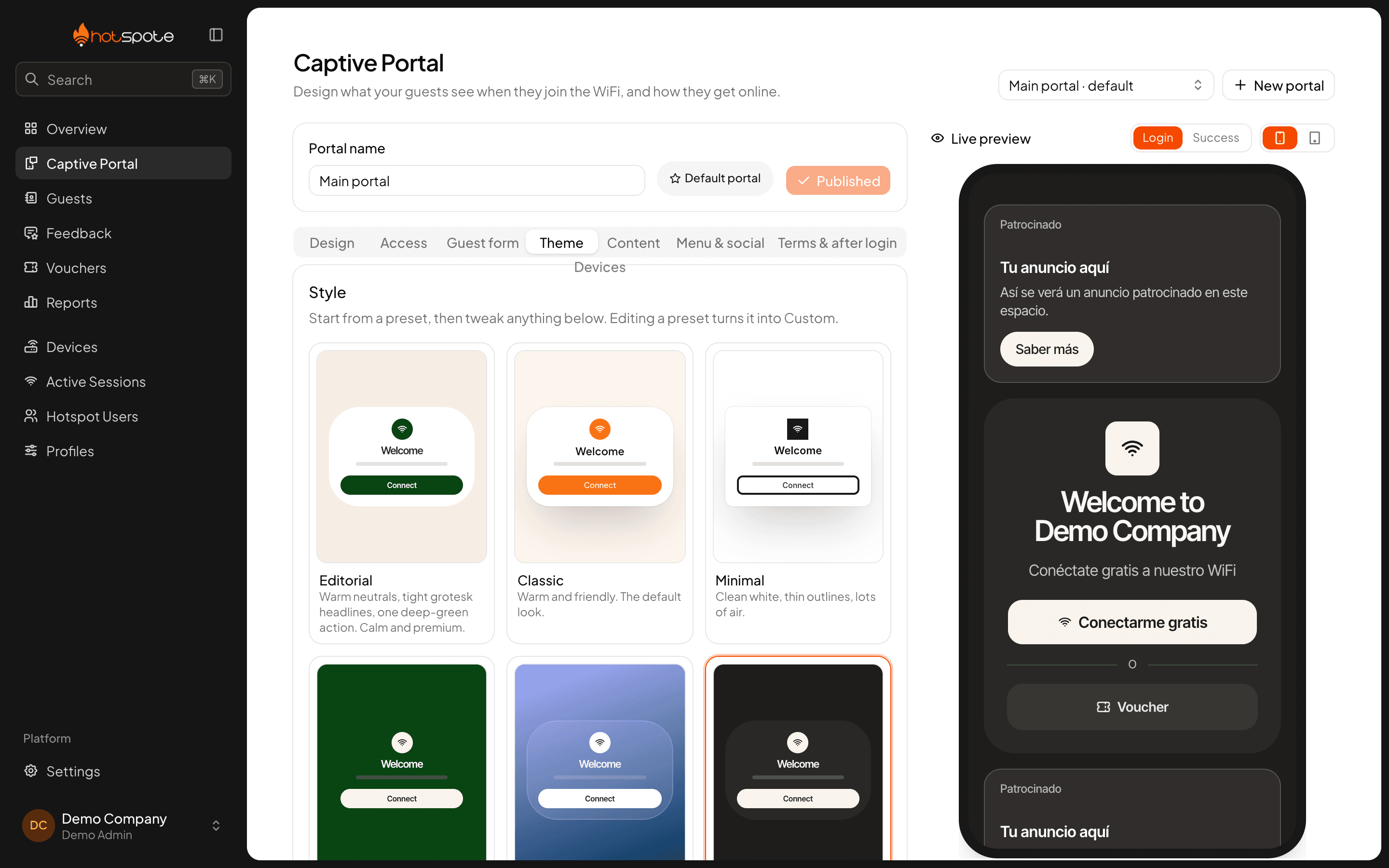
03 · Theme
Seven presets for colour and type
- 7
- presets
- Fonts
- self-hosted
- Colours
- contrast-checked
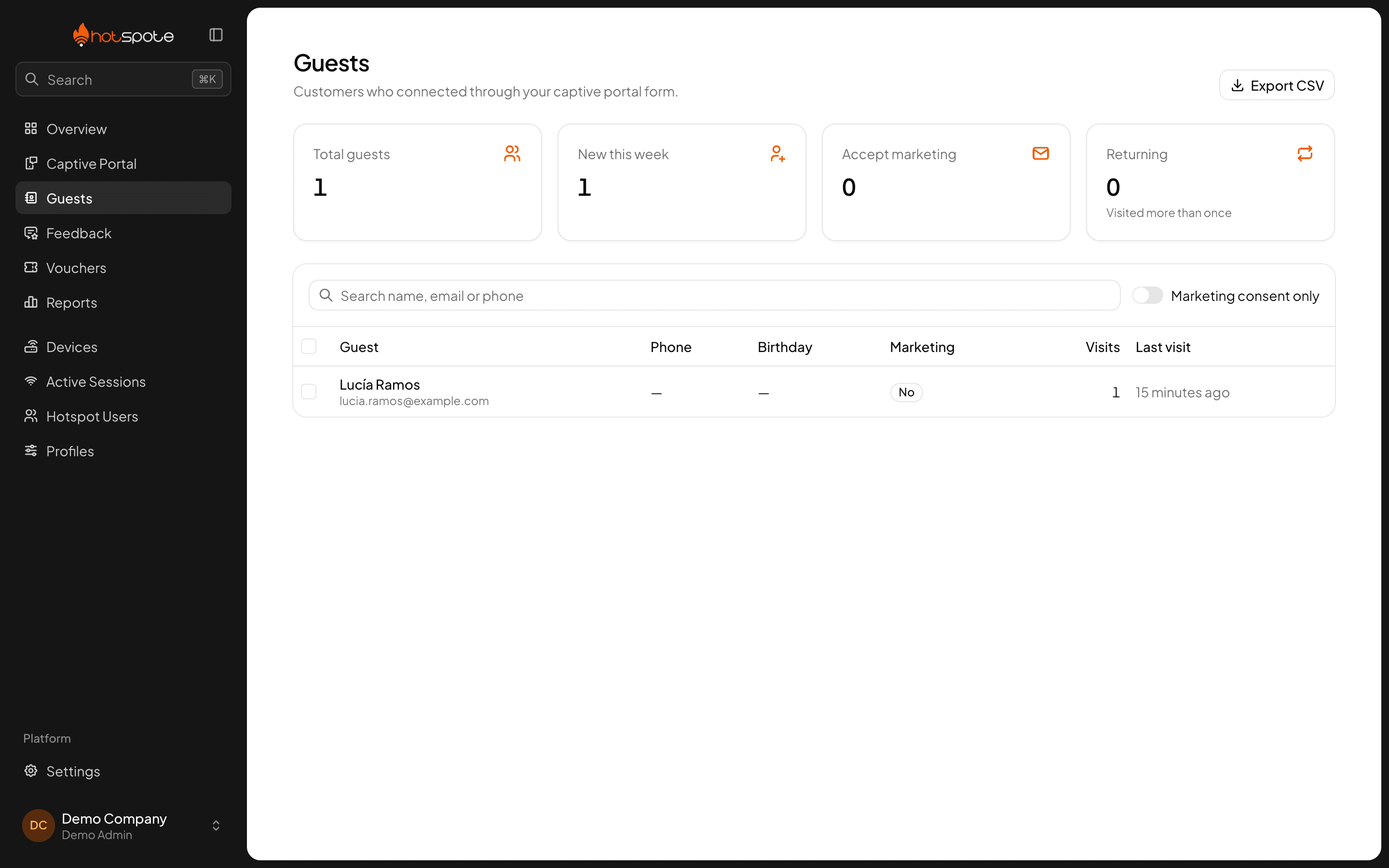
04 · Guests
Every guest who left their details
- Name
- email, phone
- Visits
- per guest
- CSV
- export
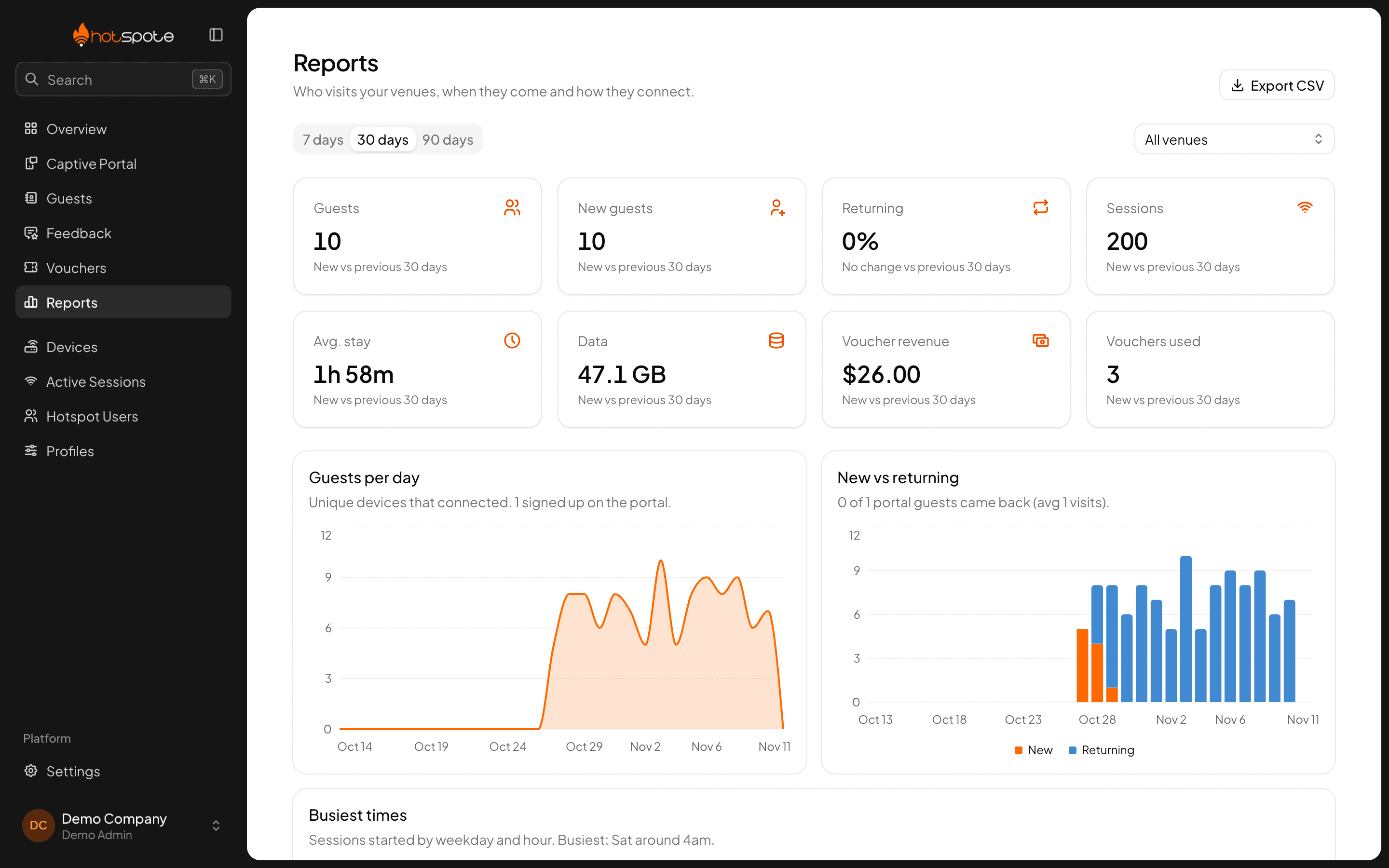
05 · Reports
Busy hours and returning guests
- Peak
- hours
- New
- vs returning
- 7–90
- day ranges
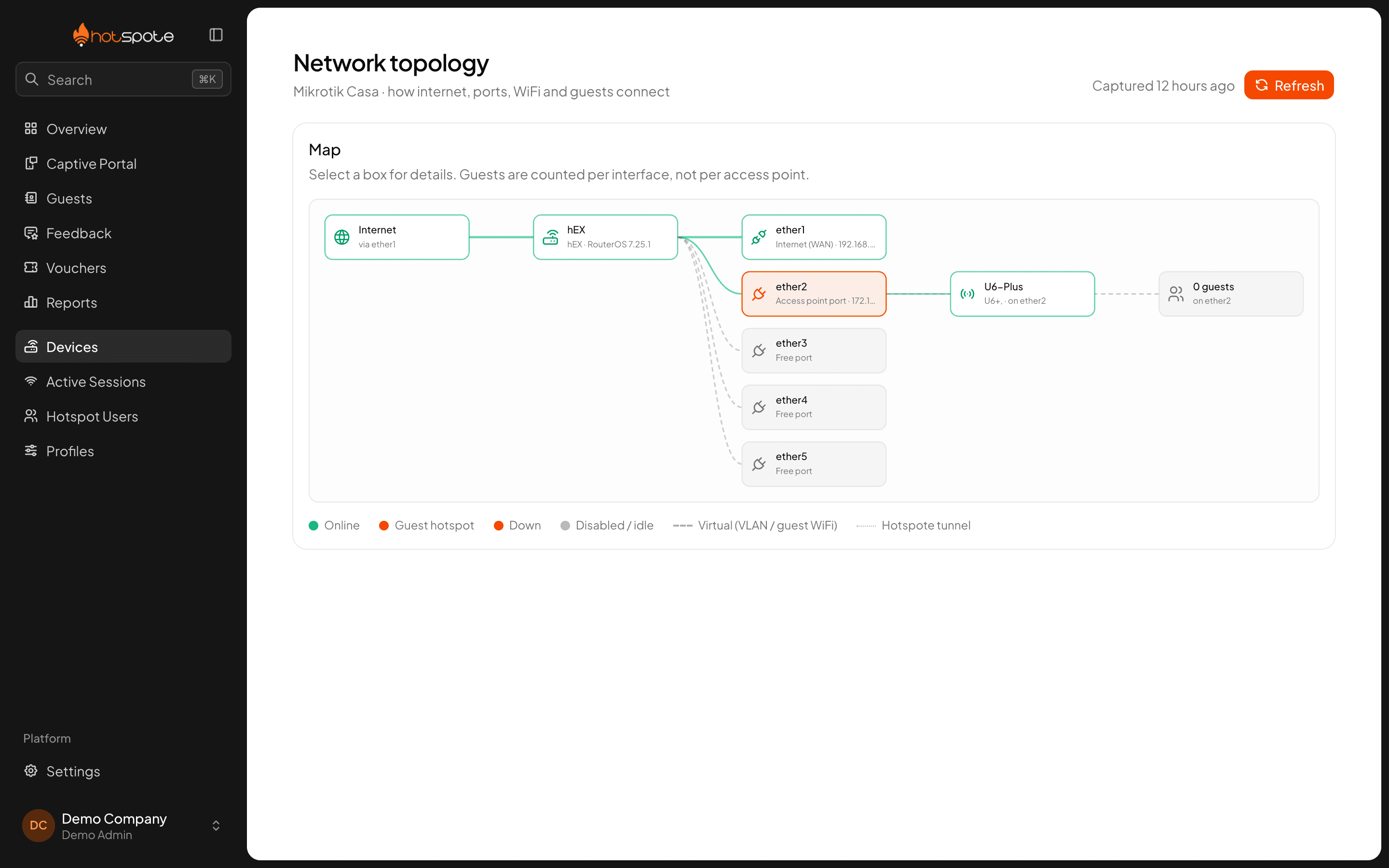
06 · Network map
Your router, ports and access points
- Ports
- and access points
- Guests
- per interface
- MikroTik
- and UniFi
How it works
Three steps to go live. No technician on site.
Step 1
Connect your router
Add your MikroTik or UniFi. Hotspote finds the guest network, the access points and the right port.
Step 2
Design the page
Pick a template, add your menu and hours, choose how guests connect. Publish when it looks right.
Step 3
See who comes back
Every connection lands in your guest list and reports. Regulars reconnect with one tap.
For your venue
Same product, set up the way your guests use it.
Cafés
Regulars every morning.
- One tap to connect
- Remembered after the first visit
- Loyalty card block
Restaurants
A table, a menu, a review.
- Menu and hours on the portal
- Rating after the meal
- Guest list for promotions
Hotels
Longer stays, more devices.
- Vouchers per room or stay
- Limits per device
- NPS before check-out
Operators
Many venues, one fleet.
- Sold or printed vouchers
- Speed and data plans
- Devices managed for clients
Pricing
One price per month. Bring your own router.
Café
One venue, one network.
$29/ month
You install your MikroTik or UniFi device
- Up to 2 routers or controllers
- 100 registered guests, free-access visitors not counted
- 2 team members
- 500 vouchers in stock
- Branded portal with live preview
- Guest list and CSV export
- Email support
Restaurant
Most chosenSeveral areas, or a second venue.
$79/ month
You install your MikroTik or UniFi device
- Everything in Café
- Up to 10 routers or controllers
- 1,000 registered guests, free-access visitors not counted
- 5 team members
- 5,000 vouchers in stock
- Advanced reports and custom portal
- Priority support
Hotel & groups
Many venues, one dashboard.
Custom
Bring your own hardware, or let us handle it
- Everything in Restaurant
- Unlimited routers, guests, team members and vouchers
- White-label portal
- Dedicated account manager
- Service agreement
Managed hardware
Want us to bring the router too?
Every plan assumes you bring and install your own MikroTik or UniFi gear. If you would rather we supply, install and manage it for you, we quote that separately.
Questions
Before you start.
Do I need new hardware?
No. Hotspote works with the MikroTik routers and UniFi access points many venues already have. The setup wizard reads your network and shows exactly which port or WiFi network the guest portal goes on.
Do guests have to install anything?
No. Their phone opens the portal by itself when they join your WiFi. They tap connect, or fill a short form the first time, and they’re online.
Will my regulars have to fill the form every day?
No. A phone that already left its details is remembered and reconnects with one tap. You choose whether free sessions are unlimited or limited per device.
Do I have to use vouchers?
Only if you want them. Most cafés and restaurants use free access. Vouchers are there for hotels, longer stays or a guest whose phone won’t connect.
Who owns the guest list?
You do. Guests give consent on the portal, you see every contact in the dashboard and can export it at any time.
Is the portal available in Spanish?
Yes. Each portal is in Spanish or English, including the form, the error messages and the page guests see once they’re online.